1
PCoIP Technology User Guide (Vol I)
TER0806003 Issue 1
1 PCoIP Technology
Overview
This process of compression, transmission, and
rebuilding the desktop occurs in a very short
time, typically less than one display frame
update, to ensure desktop responsiveness.
The PCoIP Technology solution provides a no
compromise method to remote a user’s desktop
over an existing IP network. This functionality
includes full DVI dual monitor video, complete
USB compatibility, and full-duplex high definition
audio.
A PCoIP Portal can be a desktop device or be
integrated into a monitor.
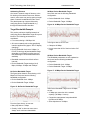
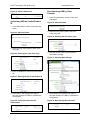
Figure 1: PCoIP System
Operating Systems and Applications
The following summarizes Operating System
and Application compatibility:
• PCoIP Technology is operating system
unaware
• Extensively tested with Windows® XP® and
Windows Vista® (32-bit)
• PCoIP Technology does not require special
drivers to be installed and uses standard USB
and HD Audio device drivers
Teradici’s PCoIP Technology uses networking
and proprietary encoding/ decoding technology
to remote connections between the Host
PC/Workstation and Portal via a standard IPnetwork. Using a PCoIP Technology remote
connection, a user can operate the host PC and
use the desktop peripherals as if the host PC
were local.
PCoIP Host Processor
The PCoIP Host Processor connects into the
host PC or workstation via the digital video
interface (DVI) and PCIe bus. The pixels from
the video interface are encoded and sent to the
Portal. The PCIe bus connection provides
transparent bridging of USB peripherals and HD
Audio using the standard USB and audio drivers
provided by the OS.
Prior to transmission, the PCoIP Host Processor
compresses the video stream and combines the
bridged audio and USB traffic.
PCoIP Portal Processor
At the desktop, the PCoIP Portal Processor
decompresses and distributes the video, audio
and USB data. In the return path, the PCoIP
Portal Processor combines audio and USB
peripheral data, for transmission back to the
Host.
© 2008 Teradici Corporation
• PCoIP Technology is compatible with all PC
applications as no hardware or OS changes
are required in the host PC
Display
PCoIP Technology display attributes are:
• Provides a perception free experience with low
latency, full frame rate video for the same user
experience as a local PC
• Progressive build to deliver exact image of the
rendered host display
Network
Related PCoIP Technology networking points
are summarized:
• Uses existing IP network and co-exists with
existing IP data
• PCoIP Technology optimizes the user
experience for a given bandwidth by
adaptively controlling quality and update rate
of the image data, and optionally compressing
the audio stream
• PCoIP Technology will adapt to changing
network environments and use less bandwidth
when network congestion is present
• PCoIP Systems can be optimized towards
minimal bandwidth usage for lower bandwidth
situations, e.g. corporate WAN
Page 3 of 25