1
OPTIONAL PLUS PACKAGE
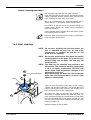
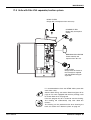
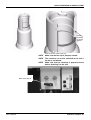
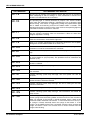
Door open/nurse call
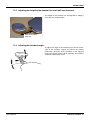
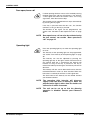
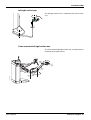
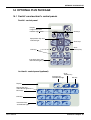
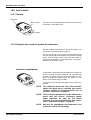
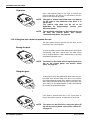
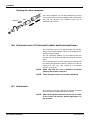
If a nurse call or door opening device is installed push the
pedal more than halfway left to activate it. If the pedal is
pushed more than 0.5 sec., the function continues as long
as the pedal is pushed.
NOTE
This function can also be activated using the
door open/nurse call key on the control panel,
see section “Door open/nurse call” on page 54.
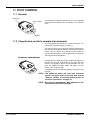
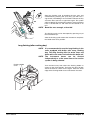
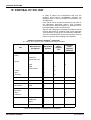
14.2.5 Using the foot control to operate the chair
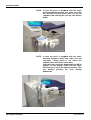
NOTE
When an instrument, except a syringe, is
operated, all chair movements are blocked.
NOTE
The operating light intensity will decrease
slightly when the chair is moving.
NOTE
Up to six users can store their own chair settings
into the memory of the Plus package. Make sure
your user number is selected before using the
automatic chair positions or programming any of
the chair settings, see section 14.3.1 “Automatic
chair positions” on page 66.
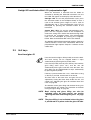
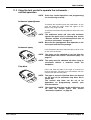
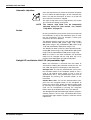
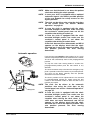
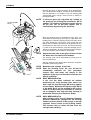
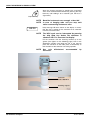
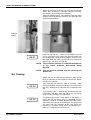
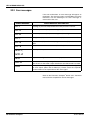
Chair user number
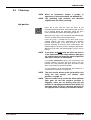
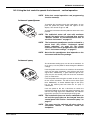
dEn.1
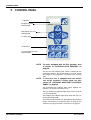
Press the chair memory key to check/ change the current
chair user number. The number of the active, last
selected dentist will appear on the display.
To change the user number then press one of the number
keys (1-6).
The user number will automatically disappear from the
display within two seconds. It will disappear immediately if
you press the chair memory key a second time.
NOTE
All five chair positions (S, A, B, C and D) can be
preprogrammed for six dentists. See section
14.3.1 “Automatic chair positions” on page 66.
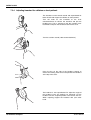
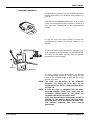
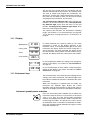
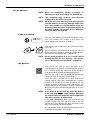
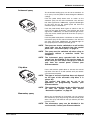
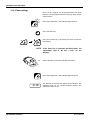
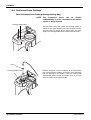
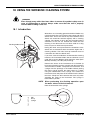
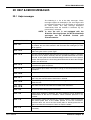
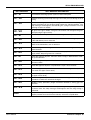
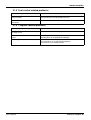
Spit position
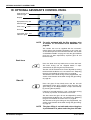
To drive the chair to the preprogrammed spit position
push the pedal to the rightmost position and then down.
To return back to the working position push the pedal
again to the rightmost position and down.
For more information about the spit position see section
“Spit position” on page 55.
NOTE
User’s Manual
The chair can also be driven to the spit position
using the spit position key on the control panel,
see section “Spit position” on page 55.
Planmeca Compacti 63