1
7.4.
Adjunctive Functions
7.4.1.
Measuring Distances
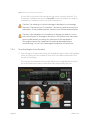
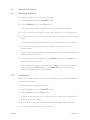
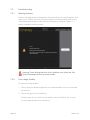
To measure distance on an ultrasound image:
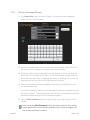
1. Tap the Tools icon on the DeepSEE screen.
2. Tap the Marker icon on the Tools menu.
A starting point marker will appear near the center of the image.
3. Touch the marker and drag it to the starting point for the measurement.
4. Lift your finger off the screen when the marker is positioned at the starting
point.
The ending point marker will appear with a line between the two points.
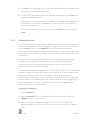
5. Touch the ending point maker and drag it to the end point for the
measurement.
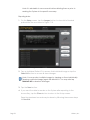
When you lift your finger from the ending point, the distance between the
markers will be displayed.
6. To measure another distance, tap the Marker button on the Tools menu
again and repeat steps 3-5.
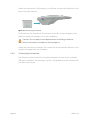
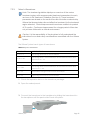
When imaging is restarted by pressing the See button on the handpiece
or by tapping the Scan button on the DeepSEE screen, the distance
markers will disappear from the image.
7.4.2.
Annotations
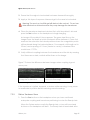
When the Ulthera System is not actively imaging, you may add comments on
the ultrasound image.
To make a note on ultrasound images:
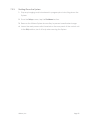
1. Tap the Tools icon on the DeepSEE screen.
2. Tap the Text icon on the Tools menu.
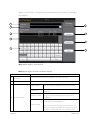
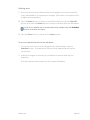
A text box will appear near the center of the image and a keyboard will
appear below the image.
3. If you want to reposition the text box, tap and drag it with your finger.
4. Use the keyboard to type your comments.
Page 50
Ulthera, Inc.