1
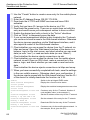
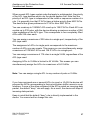
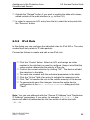
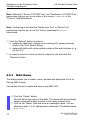
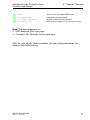
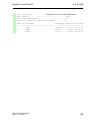
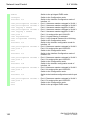
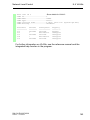
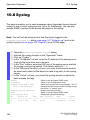
Operation Diagnosis 10.8 Syslog 10.8 Syslog The device enables you to send messages about important device-internal events to one or more syslog servers (up to 8). Additionally, you can also include SNMP requests to the device as events in the syslog. Note: You will find the actual events that the device logged in the Diagnostics:System Log dialog (see page 167 “System Log”) and in the system log file (see on page 164 “Reports”) as an HTML page. Open the Diagnostics:Report:Syslog dialog. Activate the syslog function in the "Operation" frame. Click on "Create". In the "IP Address" column, enter the IP address of the syslog server to which the log entries are to be sent. In the "Port" column, enter the UDP port of the syslog server at which the syslog receives log entries. The default setting is 514. In the "Minimum Severity" column, you enter the minimum severity an event must attain for the device to send a log entry to this syslog server. In the "Active" column, you select the syslog servers to which the device sends the logs. enable configure logging host add 1 addr 10.0.1.159 severity 3 logging syslog operation exit show logging host No. Server IP Port ----- -------------- ----1 10.0.1.159 514 166 Switch to the privileged EXEC mode. Switch to the Configuration mode. Add a new recipient of the log messages . The “3” indicates the seriousness of the message sent by the device. “3” means “error”. Enable the Syslog function. Switch to the privileged EXEC mode. Display the syslog host settings. Max. Severity Type Status -------------- ---------- ------error systemlog active RM GUI EAGLE20/30 Release 1.0 09/2012