1
Introduction
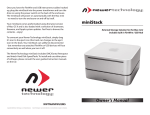
Thank you for purchasing the Newer Technology miniStack
NAS! This guide will walk you through the setup process step
by step and get you up and running with your new storage
device quickly.
Setup of the Newer Technology miniStack NAS is straightforward, but you do need to follow this guide for proper setup.
We do suggest reading through the whole manual before
hooking up the miniStack NAS.
Tools required:
A Phillips #1 screwdriver is required to install your hard drive
mechanism inside the miniStack NAS enclosure.
If you do not have the tools required to perform this installation, we highly recommend the Newer Technology 7 Piece
Tool Set. This set includes the tools required to get into any
basic computer. http://newertech.com/products/7pctoolset.php
ATTENTION!
You will be working in close
proximity to static sensitive
components. Take precautions to not build up static
electricity.
Notes
Throughout this manual, you will see note boxes along the
left margin. These note boxes contain notes, tips, or special
information that may be pertinent to your setup.
This type of box contains general
notes or tips for all systems
This type of box contains notes and
tips for Macintosh systems
This type of box contains notes and
tips for MS Windows systems
2