1
21
TextCount
8.4
Update Count Results
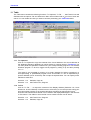
To update the result of files that have already been counted, click on Count / Update Count
Results or
..
This may be necessary if, for example, the counted files were changed after they had been
counted.
Alternatively, you can press function key F8 to update the result of files that have already
been counted.
Note:
8.5
If changes affecting the count result, for example those in Options / Profile
Settings / Chars. per Line or Price Basis / Lines, were made after counting files,
the counting result is automatically adjusted. This may be especially useful for
making a cost estimate when different prices are involved.
However, some changes in the Profile Settings will mean that already counted
files must be recounted using the new settings. For example, this would be
necessary when different Document Sections are selected in RTF and Word
documents because the Delimiters or Comment Filter must be adjusted
accordingly. In these cases, the counting results of the files involved are reset.
Remove Selected Files From List
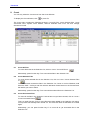
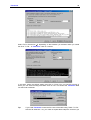
To remove selected files from the Selection List, Count or Invoice Window, click Count /
Remove Selected Files From List or
.
Alternatively, you can press the Delete key to remove selected files from the Selection List,
the Count Window or the Invoice Window.
8.6
Note:
The files are simply removed from the Selection List and are not changed or
deleted from the hard disk/diskette.
Note:
If selected files are removed from the Count or Invoice Window, the counting
result is automatically adjusted.
Change Document Format
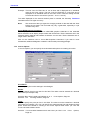
To change the document format of the selected files, click on Count / Change Document
Format . This resets the counting results of files that have already been selected and
counted. You will then need to carry out a new count process for these files.
If Autoselect (*.*) is selected as the document format, TextCount automatically recognises
the File type or the file format of the selected file(s) it is counting, except ASCII and ANSI
formats.
Note:
To prevent TextCount from counting files in the wrong format and therefore
giving an incorrect result, you should always use Autoselect (*.*) as the
document format because this setting automatically recognises all file formats
apart from the ASCII and ANSI formats.