1
1.- Controls
There are four types of control desks for all Scorpio Head. They all have the
same “interface” screen, the same control software and the same connections. First of
all we are going to define two of these similarities.
1.1.- “interface” Screen
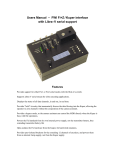
The control desk “interface” can be divided into two parts. The first is the display
and buttons that are situated around the screen. They are used to interact with the
program. The second is the potentiometers situated at the bottom of the screen that
are used to define motion variables for the head.
Buttons
Display
Speed control potentiometer (PAN,
TILT and ROLL)
“0” and direction change button
(PAN, TILT and ROLL)
3