1
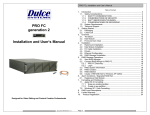
PRO FCa Installation and User’s Manual
Table of Content
1. Introduction .................................................................................................... 3 1.1. Safety Considerations .............................................................................. 4 1.1.1. SAFETY CONSIDERATIONS ........................................................... 4 1.1.2. CONSIDÉRATIONS DE SÉCURITÉ ................................................. 5 1.1.3. SAFTY BERÜCKSICHTIGUNGEN ................................................... 6 1.1.4. CONSIDERACIONES DE SEGURIDAD ........................................... 7 1.2. System Requirements.............................................................................. 8 1.3. Technical Support .................................................................................... 8 2. Getting Started............................................................................................... 9 2.1. Packaging ................................................................................................ 9 2.2. Check List ................................................................................................ 9 3. Overview ...................................................................................................... 10 3.1. The Bezel............................................................................................... 10 3.2. Disk Module ........................................................................................... 10 3.1. Front and rear views .............................................................................. 11 4. Installation.................................................................................................... 12 4.1. Rackmount Installation........................................................................... 12 4.2. Disk Module Installation ......................................................................... 13 4.3. FCa Cable Installation............................................................................ 14 4.4. Drivers ................................................................................................... 14 4.5. Ethernet Configuration ........................................................................... 14 4.6. RAID Manager Installation ..................................................................... 15 5. RAID Manager Operations........................................................................... 16 5.1. Start RAID Manager .............................................................................. 16 5.2. Connect RAID Manger to PRO FCa ...................................................... 16 5.2.1. PRO FCa Discovery ........................................................................ 16 5.2.2. Login ............................................................................................... 17 5.3. RAID System Information ...................................................................... 18 5.4. RAID Creation ........................................................................................ 20 5.5. RAID Deletion ........................................................................................ 23 5.6. Create >2TB RAID Set for Windows XP (32bit): .................................... 25 6. Alarm Conditions / Degraded RAID Set ....................................................... 26 6.1. Replacing a Disk Module ....................................................................... 27 7. Formatting and Partitioning .......................................................................... 28 7.1. Apple OS X Formatting .......................................................................... 28 7.1.1. Erase an existing partition ............................................................... 28 7.1.2. Create a new partition ..................................................................... 29 7.2. Windows XP / Vista Formatting ............................................................. 30 8. RAID Level Descriptions .............................................................................. 32 9. Limited Warranty .......................................................................................... 33 10. Product Registration.................................................................................. 34 Page 2