1
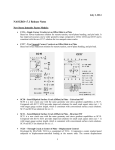
Figure 22 - New Schedule with Aux 1 and Aux 2
If Auxiliary Output 2 is enabled, New Schedule will display an aux output 2 parameter (Figure 23
- New Schedule with Aux 2) for each schedule step.
Figure 23 - New Schedule with Aux 2
Users may define any combination of these settings, and the user interface will update
accordingly.
During schedule creation, the user has largely unlimited options as to the ramp rates, setpoints,
hold times, and alerts produced. These settings can be modified at any time after initial
schedule creation by performing the steps identified in Section 6.5.3 – Edit Schedule.
Ramp Rates and Setpoints should be entered in the units defined in settings (Fahrenheit or
Celsius).
21