1
BasicFunctions
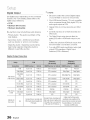
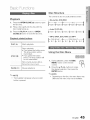
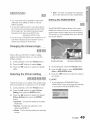
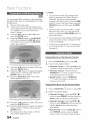
Disc Structure
...................................................
The contents of disc are usually divided as below.
Playback
o Blu-ray Disc, DVD-VlDEO
1.
Press the OPEN/CLOSE
the disc tray.
(A) button to open
2.
Place a disc gently into the tray with the
disc's label facing up.
3.
Press the PLAY (_) button or OPEN/
CLOSE (A) button to close the disc tray.
_
tit,e 1 -_,-_tit,e 2
1,_ chapter
2-_, chapter
1-_ chapter
2-_, chapter
3 ,_
- Audio CD (CD-DA)
track I _[- track2 _1_track 3 _[- track 4 -_ track5 4
MP3, WMA, DivX, MKV and MP4
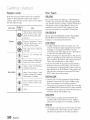
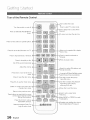
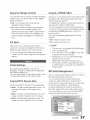
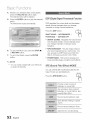
Playback related buttons
PLAY (I_)
-- folder(group)I --*_
folder(group)2
file1 ,._ file2 ,._, file1 ,.p file2 ,-_, fib3
4
Starts playback.
Stops playback.
ill i_iiii _ _i i • If you press the button once:
stop position will be
_ _i}i_iiiiII_
{_!i!I i_i The
memorized.
• If you press the button
twice: The stop position will
be not memorized.
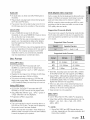
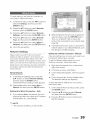
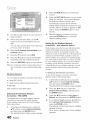
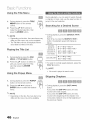
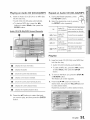
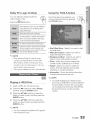
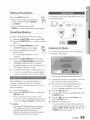
Using the Disc Menu
s oPi,i
With some Blu-ray discs (BD-J),
this function may not work.
PAUSE (|l)
Pauses playback.
1. During playback, press the DISC
MENU button on the remote
control.
2.
Press the A'v _ _ buttons to make
DI80 MENU
Z
the desired selection, then press the
ENTER button.
NOTE
NOTE
_ "Not Available" will appear when an invalid
Depending on the disc, the menu items may
differ and this menu may not be available.
button is pressed.
English
4'_