1
Consumer Information
• Please keep these instructions for future reference as they contain
important information.
• Software installation and hookup to your computer should be done by an adult.
• For proper use of this product we recommend that your computer meet
minimum system requirements (see page 4).
• Install Computer Cool School™ software included with this product BEFORE
installing any other Computer Cool School™ software (not included).
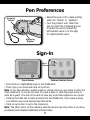
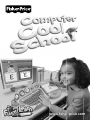
• This product can be used with your computer mouse. Use the
Computer Cool School™ pen or your computer mouse to make selections.
• To use the Computer Cool School™ pen, push and then release the tip of the pen
on the tablet to click choices on your computer screen.
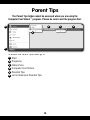
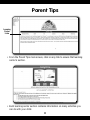
• The software included with this product includes a Parent Tips folder full of
activities you can do with your child. After installing the software, you can
find the Parent Tips by clicking, in order, the following items:
Start>Programs>Fisher-Price>Computer Cool School>Parental Tips.
Refer to page 10.
• This product must be used with listed Information Technology Equipment (I.T.E.).
WARNING
To prevent strangulation,
keep computer cables away from children.
N102 / Z83
2