1
Thermal Imaging Camera C.A 1879
English
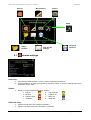
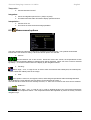
e) Menu
The Menu is selected by Hotkey 4. Use the Navigation buttons to move around and use Hotkey 3 to select a
menu function. Full details of menus in section 5.
f) Saving an image
To save a live or frozen image, press the Save button once. If Caption Mode or Voice
Annotation has been turned on, a text caption or voice annotation can be attached to the
image (see section 6). Please note that Hotkey 3 can be used to toggle between a live image
and a frozen image.
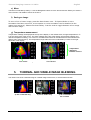
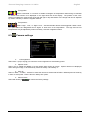
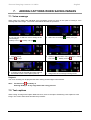
g) Temperature measurement
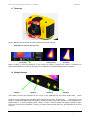
Temperature readings are displayed at the top of the display. In the default mode, a single temperature in °C
is of the centre point of the cursor. The other readings at the top of the display are emissivity settings and
reflected temperature setting. Two cursors or a measurement area can be selected from the measurement
options menu (see section 5). The temperature range within the scene is indicated by a scale on the right
hand side of the display.
Temperature
difference
between cursors
One cursor
5.
Two cursors
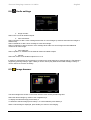
THERMAL AND VISIBLE IMAGE BLENDING
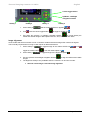
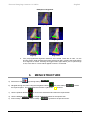
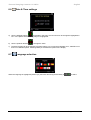
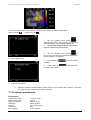
The camera can show a thermal image or a visible image of the scene, or a mixed blend of both.
a) 100 % Thermal only
b) 100 % Visible only
c) 50 % Thermal and
50 % visible
Page 7 sur 7