1
THORSTEN WIEGAND
27
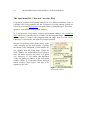
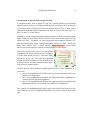
Construction of objects from categorical map
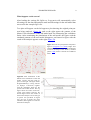
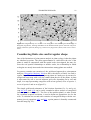
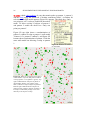
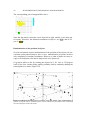
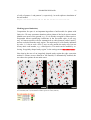
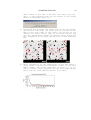
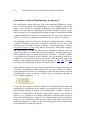
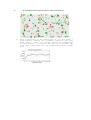
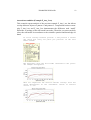
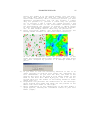
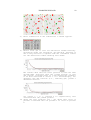
A categorical map, such as figure N2 top left, contains intuitively discernable
discrete objects; however, in order to randomize the position of these objects for
a given null model Programita must first define objects. This is done with a
percolation algorithm which summarizes all adjacent cells of the same type (i.e.,
type 1 or type 2) as one object.
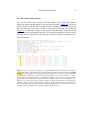
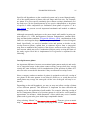
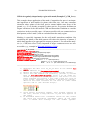
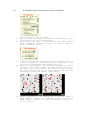
If pattern 1 of your categorical map comprises objects of finite size and irregular
shape, enable in the window for the selection of the null model (figure N1) the
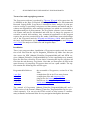
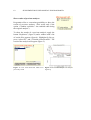
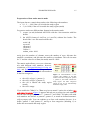
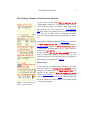
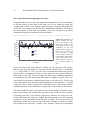
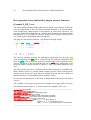
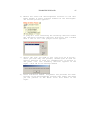
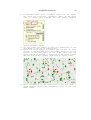
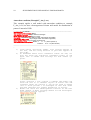
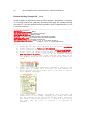
check box “Pat1”. If pattern 2 of your categorical map comprises objects of finite size and irregular shape, enable additionally check box “Pat2”. After enabling “Pat1” and/or “Pat2”, a small window “Patch determination” opens which
allows you to select specific settings for the definition of the objects.
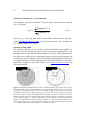
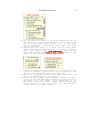
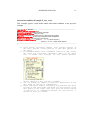
First, to avoid very large objects, you can define
a maximal size of the objects, given in number
of cells (max patch size pat 1, and max patch
size pat 2). If you e.g., select 100, the algorithm
assigns the first encountered 100 adjacent cells
to a given object, but does consider further adjacent cells as a separate object.
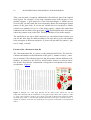
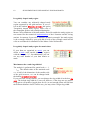
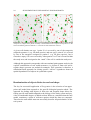
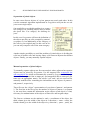
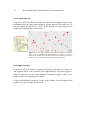
Second, there are three different neighbourhoods used to define adjacency to a
given cell:
• the 4 cell neighbourhood includes only the four immediate (north, east,
south, west) neighbours,
• the 8 cell neighbourhood includes the eight immediate neighbours including the four diagonal neighbours,
• the 12 cell neighbourhood includes the eight immediate neighbours and
additionally the four next (north, east, south, west) neighbours.
The 4 and 8 cell neighbourhood assigns only cells which touch directly to objects, whereas the 12 cell neighbourhood allows you to have objects with small
gaps.
.