1
Keyboard_I_A_B-Printers
3/28/02 1:56 PM
Page 2
Connecting your Kensington Keyboard•in•a•Box USB
To connect to a Do this:
USB port
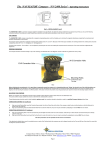
Plug the keyboard’s cable into the USB port on your Macintosh
computer. Plug the cable of your USB mouse or trackball into either
USB port on the keyboard. For added versatility, use the second port on
the keyboard to connect another low-powered USB accessory. No
need to turn off your computer—Keyboard•in•a•Box is USB easy plug
and play.
CAUTION: Never force a cable into a port. If you are having trouble, verify that
the USB connector is aligned with the USB port.
Declaration of Conformity Compliance Statement for the
Kensington Keyboard•in•a•Box
The Kensington Keyboard•in•a•Box model no. 64350 complies with Part 15 of the FCC Rules. Operation is
subject to two conditions: (1) This device may not cause harmful interference, and, (2) this device must
accept any interference received, including interference that may cause undesired operation. As defined
in Section 2.909 of the FCC Rules, the responsible party for this device is Kensington Technology Group,
2000 Alameda de las Pulgas, Second Floor, San Mateo, CA 94403, (650) 572-2700.
Technical Support
In North America, technical support is available to all registered users of
Kensington products. There is no charge for technical support except long
distance charges where applicable.
Technical Support Tips
•
You may find the answer to your problem in the Frequently Asked
Questions (FAQ) section of the Support area on the Kensington Web site:
www.kensington.com.
•
•
Call from a phone where you have access to your computer.
Be prepared to provide the following information
- Name, address, and telephone number
- The name of the Kensington product
- Make and model of your computer
- Your system software and version
- Symptoms of the problem and what led to them