1
HAM-LOG for Windows
User’s Guide
Version 3.40
_________________________________________________________________
To use a QSL Manager database click on the checkbox 'DF6EX Manager
installed' or ‘ON6DP Manager installed’.
For DF6EX you must enter the drive/path where the program is installed.
To use ON6DP you have to create first a database under Main menu: File –
Create ON6DP database. The input file QSL.TXT can be found on the internet,
see http://www.dd3kf.de/on6dp.htm
To copy the fields automatically click on the corresponding checkbox. If you
select manually you have to press one of the 'Manager to QSO' buttons on the
Tab QSL-Mgr.
Under 'database' you may select from which source the QSL Manager should be
used - select either a QSL Manager or Callbook CD. This means, you can get
QSL Manager information also from the Callbook CD even if no QSL-Manager
database is installed. Please note that the information on the Callbook CD is
normally not as up-to-date as the QSL Manager database.
89 Europe Grid Square Statistics
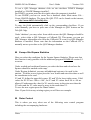
Here you select the conditions for the Locator Square Statistics. Please note that
this function is only possible with the additional program HAMMAP version 8.1
or newer.
Under worked and confirmed locators you select the form and colour how the
Squares should be marked on the map.
Under 'Region definition' you may add additional regions to be used by the
statistic. To define a new region press the 'new' button and enter the name as well
the coordinates to be used.
X1 and Y1 define the upper/left corner, X2 and Y2 the lower/right corner. Valid
values for X1/X2 are -180 to +180°, for Y1 and Y2 values from -90 to +90 are
allowed. Furthermore the value for X1 must be more in direction west than the
X2 value and the Y2 value must be more in the north than Y2.
To save the new region press the 'Save' button.
Note: If you click on any existing region you will have an example.
90 Rotor Control
This is where you may select one of the following rotor control program
including the accompanying hardware:
________________________________________________________________
Notes
69