1
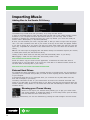
How to get music from CDs into Serato DJ
Serato DJ does not have a CD ripping function. We suggest you use a 3rd party application to
convert your audio CDs into a suitable file type for Serato DJ. We recommend 320 kbps MP3 files
for a good balance of audio quality and file size. Serato DJ can play Audio CDs direct from your
computer’s CD ROM or DVD drive, however playback performance can be impeded by the speed
of the drive and computer.
NOTE: We recommend ripping your CDs rather than playing from them directly.
SEE iTUNES FOR MORE INFORMATION.
Supported File Types
.MP3
.OGG
.AAC
.M4A
.ALAC/.FLAC
.AIFF
.WAV
.WL.MP3
Fixed and variable bit rate (VBR) files are both supported. Tracks protected by DRM are not
compatible with Serato DJ.
SEE DRM FOR MORE INFORMATION.
About Corrupt Files
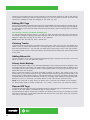
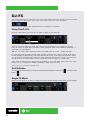
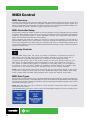
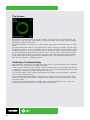
This icon means that Serato DJ has detected some corruption in the file. It is possible
this file may not play correctly, and/or make your library unstable. If possible, re-encode
the MP3 or remove from the library. Hover your mouse mover the status icon for
information on what type of corruption was found.
SEE CORRUPT FILE DIAGNOSES FOR MORE INFORMATION
17