1
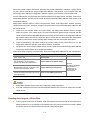
Table 1-1 Set a member ID for a device
To do…
Use the command…
Enter system view
system-view
Set a member ID for a device
irf member member-id renumber
new-id
Remarks
—
Optional
The member ID of a device
defaults to 1
z
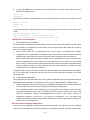
The above setting takes effect after the reboot of the device.
z
You can use the display irf configuration command to view the current member ID of the device
and the member ID will be used after the device reboot.
z
Members IDs are used to identify members of an IRF virtual device. Therefore, modifying a
member ID may cause device configuration change or even loss. Please modify member IDs with
caution. For example, three members (of the same device model) with the member IDs of 1, 2 and
3 are connected to an IRF port. Suppose that each member has several ports: change the member
ID of device 2 to 3, change that of device 3 to 2, reboot both devices, and add them into the IRF
virtual device again. Then device 2 will use the original port configurations of device 3, and device
3 will use those of device 2.
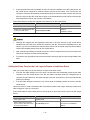
Specifying a Priority for a Member Device
The greater the priority value, the higher the priority. A member with a higher priority is more likely to be
a master.
Follow these steps to specify a priority for a member device:
To do…
Use the command…
Enter system view
system-view
Specify a priority for a member of
an IRF virtual device
irf member member-id priority
priority
Remarks
—
Optional
The priority of a member defaults
to 1
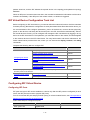
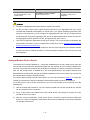
The setting of priority takes effect right after your configuration without the need of rebooting the device.
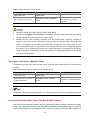
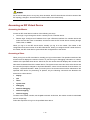
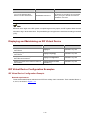
Specifying the Preservation Time of the Bridge MAC Address
A device uses the bridge MAC address when it communicates with the external networks as a bridge.
Some Layer 2 protocols (like LACP) use bridge MAC addresses to identify different devices. During of
Layer 2 packet forwarding, if the destination MAC address of a packet is the bridge MAC address of a
1-16