1
Attention:
Do not press” Power on/off” button
when the machine is recording,
otherwise the data won’t be saved.
Function as removable disk when
connect the camera to PC,
playback the video files saved in
memory via the computer.(Free
download the STORM software
from the http://www.baofeng.com
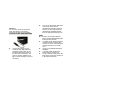
Connect to PC with USB cable
FAQ
Connect the machine to the
computer with USB cable and
press the Power button to ON.
The Blue lights will be shine at
this time; the machine is in the
state of charging while the red
light is shine. Charging 3 hours is
necessary.
Q: Why are the video files just
being recorded disappearing after
turning off the camera?
A: Please check whether stopped
recording before turned off the
camera, if not, the video files have
not been stored in the T-Flash
card.
Q: Why is the REC/STOP button
disabled?
A: Please check whether the
button (A/B) is pressed to A.
Q: Why does the “pale yellow” led
keep shining when the machine is
in the state of working?