1
ope0&ti
R6ol$tiail
tr
f,:rdtl&.6ld&dlllrltrAii&,r
D WXGA (1280x768 pixels)
Catalogue
1.
u User-friendly, multi-language on-scren display
Prcjector Brief
!
!
Safeguards
Waming
ProiectorOveryiew
,l
4.
5.
lmportant safeguards
Please read all
instructions regarding your Led projstor and retain them for future reference. Follow all warnings and instructions markod
All the safety and operating instructions should be read bsfore the appliance is operated.
2. Retain instructions
The safety and operating instructions should be retained for future reference.
mnnecting the projector
3.
Power on/Offthe projeclor
Wamings
All wamings on the appliane and in the operating instructions should be adhered to
4. lnstructiore
User's maintenance
All operating instructions must be followed.
Cleaning the lens
5. Cleaning
Cleaning the Projector Housing
Unplug this prc.iector from the wall outlet before cleaning it. Do not use liquid aerosol cleaners. U6B a damp sofr cloth for deaning.
Cleaning the Fliter Cover
6. Attachmonts an4equipment
Replacing the Lamp
Never add any attachmenb and/or equipment without the approval of the manufac{urer as
Simple repair and solution
such additions may result in the risk offire, electric shock or other personal injury.
Parameter and function
1.
2.
thse
1. Read instructions
Menu opeEtion
1.
2.
3.
4.
5.
6,
keystone correction
With USB,SD Slot,support H.265 fomat vidm for USEilSD input
on the Led projector.
OpeEtionintroduction
1.
2.
Compatibility with PAL
u lnput sour@ USB/SD/3-HDMI/AV /GNS-VIDEo/Compon€flUTv(analdge)
Productor Features
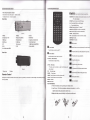
1. Top view
2. Bottomviil
3. Front view
4. Backview
5. Rearview
3,
l mmprssion @mpatibility for VGA, SVGA, XGA and SXGA
!
Productor Features
1.
2.
3.
4.
2,
l
7. Water and
Technimlspecifiction
moisture
Do not use this proiector near water or in contact with water.
Main functions
8. Accessories
Alofes on the AC Power Cord
Do not place this projector on an unstable cart,stand, tripod, brackot or tiable. Use only with a cart, shnd, tripod brackst, or table
'l
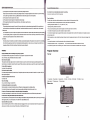
AC Power Cord must meet the requirement ofcountries where you use this prcjectolPlease mnfim yourAC plug type with the graphics
This prcjector should be operated only from the type of
and ensure that the properAC Power Cord is used.
power,please consult your appliance dealer or
R------;;',I
tret
i1#:flif
rel
R
h;;l
m
WI
I \--l
11
lo€l
pwer
source indicated on the marking label. lf you are not sure of the type of
power @mpany.
. Power-mrd protection
Power-supply mrds should be routed so that they are not likely to be walked on or pinched by iterns placod upon or against
Projector Features
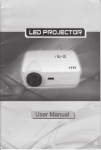
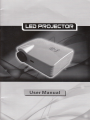
The prcjector ofiers the following features:
!
Single chip LCD technology
u High perfomance LED lamp (with 50,000 hrs life)
thm.
Pay
particular attention to cords at plugs, convenience r@ptacles, and points where they exit from ths appllance. Do mt put the power cord
under a carpet.
12. Overloading
Oo not ovedoad wall outlels and extension cords as ihis can result in a fre or electric shock.
13. Objects and liquids
I
Never push objecb of any kind through openings of this projector as they may touch dangorous voltags polnts or short{ut parts that could
result in a flre or sleclric shock. Never spill liquid of any kind on the prciecton
14. Servicing
lntroduction
.
0. Power sourcs
Do not attompt to seMce this prcjector yourself.Refer all servicing to qualilied sorvlce personnsl.
16. Dameoa roqulring seruie
Unplug thl! prolector from the wall outlet and refer seruicing to qualified seruico personnal under the following @nditions:
(a) lf the pow.f-supply cord or plug is damaged.
(b) lf llquld has been splll€d, or objocG have fallen into the prcjector.