1
Editor Setting
Editor Setting
3
Handy Setting
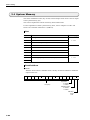
3.1 Handy Setting
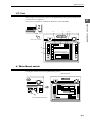
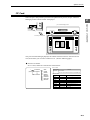
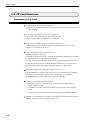
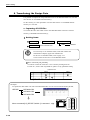
To use UG320HD, it is necessary to select [UG320HD (640*480 7.7 inches)] from the
[Edit Model] dialog.
Then, on the [Handy Setting] dialog, deadman switch and
key-lock switch are set.
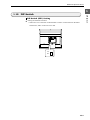
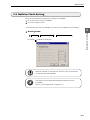
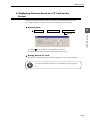
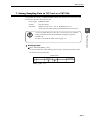
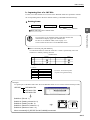
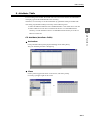
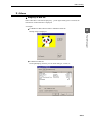
1. Click [Handy Setting...] in the [System Setting] menu
under [Item].
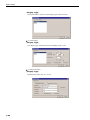
2. The [Handy Setting] dialog is displayed.
Note
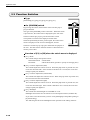
The setting of whether or
not to use the deadman
switch can be changed
with a macro during RUN
(see explanation on the
next page.) However,
the setting of [Handy
Setting] takes effect just
after the power is turned
on.
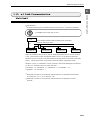
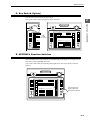
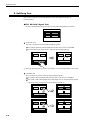
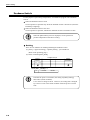
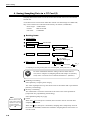
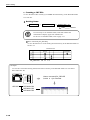
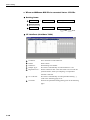
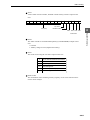
[ Use Deadman Switch]
This item specifies whether or not to use deadman switch during operation.
Uncheck this item when screen operation is to be always enabled.
[ Use Key-lock Switch]
Check this item when the key switch is used.
Uncheck this item when screen operation is to be always enabled independent of the
condition of the key switch.
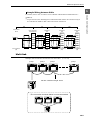
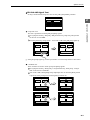
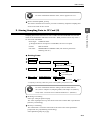
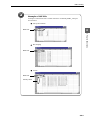
[Access Folder No. DAT]
When multiple [DATxxx] folders exist in a compact flash card (CF card), this item
is set to specify a desired No. (xxxx part).
3-1