1
English
Contents
Channel Grouping ....................................... 28
Common Interface ...................................... 28
Safety Precautions ............................... 4
Installation and important
information ............................................ 5
Digital On-Screen Information and
Programme Guide ................................ 29
Where to install ........................................... 5
When using a Wall Bracket ......................... 5
When using MHL (Mobile High-de¿nition
Link) ............................................................ 6
Information .................................................. 29
On-Screen Information Icons ...................... 29
Guide .......................................................... 29
The Remote Control ............................. 7
General Controls .................................. 30
Inserting batteries and effective range of the
remote ......................................................... 7
Selecting Channels ..................................... 30
Stereo and Bilingual
Transmissions ............................................. 30
Quick Access Menu .................................... 30
Subtitles ...................................................... 30
Picture Still .................................................. 30
Input Selection ............................................ 30
Connecting External Equipment ......... 8
HDMI CEC Connections ....................... 10
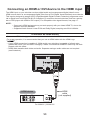
Connecting an HDMI or DVI device to
the HDMI input ...................................... 11
Sound Controls..................................... 31
To connect an HDMI device ........................ 11
To connect a DVI device ............................. 13
Volume Controls and Mute Sound .............. 31
Dual............................................................. 31
Bass, Treble and Balance ........................... 31
Stable Sound .............................................. 31
Dynamic Range Control .............................. 31
Voice Enhancement .................................... 31
Bass Boost .................................................. 32
Audio Level Offset....................................... 32
Digital Audio Output .................................... 32
Audio Description ........................................ 33
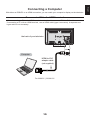
Connecting a Computer ....................... 15
To connect a PC to the HDMI terminal........ 15
Acceptable Video signals through HDMI
terminals ..................................................... 17
Acceptable PC signals through HDMI
terminals ..................................................... 17
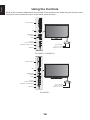
Using the Controls ............................... 18
Switching On ............................................... 19
Using the Remote Control........................... 19
Using the Controls on the TV ...................... 19
Widescreen Viewing ............................. 34
Available Picture Size and Position
Control ........................................................ 35
Tuning the Television ........................... 20
Picture Controls.................................... 36
First Time Using .......................................... 20
Picture Position ........................................... 36
Picture Mode ............................................... 36
Picture Preferences .................................... 36
Black/White Level ....................................... 37
Cinema Mode.............................................. 37
Colour Temperature .................................... 37
Static Gamma ............................................. 37
Reset........................................................... 37
Active Backlight Control .............................. 37
Auto Brightness Sensor .............................. 37
3D Colour Management .............................. 38
Base Colour Adjustment ............................. 38
Setting the Channels ............................ 22
Auto Tuning ................................................. 22
Manual Tuning ............................................ 23
Automatic Power Down............................... 25
Reset TV ..................................................... 25
DTV Settings ......................................... 26
Channels ..................................................... 26
Subtitle and Audio ....................................... 27
Password .................................................... 27
Parental....................................................... 27
Standby Update Control.............................. 28
Standby Channel Update ............................ 28
2