1
Chapter 1
1.1
1.2
1.3
1.4
1.5
1.6
Chapter 2
2.1
2.2
2.3
2.4
2.5
2.6
Chapter 3
3.1
3.2
First steps
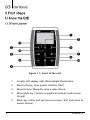
Know the QC5
1.1.1
Front panel
1.1.2
Connectors
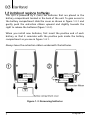
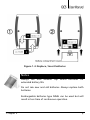
Install and replace batteries
Connecting the probe
The “Q” key
Display illumination and contrast
1.5.1
Display backlight illumination
1.5.2
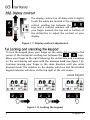
Display contrast
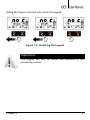
Locking and unlocking the keypad
1
1
2
3
5
6
6
6
7
7
Measuring with the QC5
Numerical measuring screen
Graphical measuring screen (Histogram)
Numerical measuring screen (Large Numbers)
Keypad functions in all measuring screens
Selecting the type of base
Calibration
2.6.1
Getting started with calibration
2.6.2
Base calibration
2.6.3
Shim 1 calibration
2.6.4
Shim 2 calibration
2.6.5
Calibration memories
2.6.6
Using offset correction
9
10
11
12
14
15
15
16
18
19
20
22
Menu system and editing
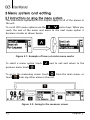
Instructions on using the menu system
3.1.1
Text editor
Main menu
3.2.1
Change unit
23
24
26
26
I