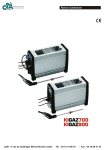
1
Table of contents
ANALYSER
1. Introduction....................................................................................................................................................................... 7
1.1. Analyser description.................................................................................................................................................. 7
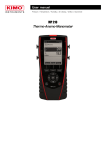
1.1.1. Overview of the gas analyser............................................................................................................................ 7
1.1.2. Presentation of the keypad and screen............................................................................................................. 8
1.1.3. Connection of the analyser............................................................................................................................... 8
1.2. Main features............................................................................................................................................................ 9
1.3. Technical features................................................................................................................................................... 11
2. Safety instructions........................................................................................................................................................... 12
3. Perform a combustion analysis....................................................................................................................................... 13
3.1. Prepare the instrument before the analysis............................................................................................................. 13
3.2. Perform an analysis................................................................................................................................................ 13
3.3. Assign the analysis to a customer........................................................................................................................... 14
3.4. Print the analysis results......................................................................................................................................... 14
4. Set the different parameters of the analyser................................................................................................................... 15
4.1. Set the instrument .................................................................................................................................................. 15
4.1.1. Screen setting................................................................................................................................................. 15
4.1.2. Set the auto-extinction.................................................................................................................................... 15
4.1.3. Change the language...................................................................................................................................... 15
4.1.4. Modify date and time....................................................................................................................................... 15
4.1.5. Ticket printing setting...................................................................................................................................... 15
4.1.6. Activate or deactivate bluetooth function (optional)......................................................................................... 16
4.1.7. Activate or deactivate the visual support......................................................................................................... 16
4.1.8. Activate or deactivate the vocal support.......................................................................................................... 16
4.2. Set the combustible................................................................................................................................................. 16
4.2.1. Modify a combustible...................................................................................................................................... 16
4.2.2. Add a combustible........................................................................................................................................... 17
4.2.3. Delete a combustible....................................................................................................................................... 17
4.3. Set the alarms, measurement units and CO protection........................................................................................... 17
4.3.1. Set the alarms................................................................................................................................................. 17
4.3.2. Set measurement units................................................................................................................................... 18
4.3.3. Set the CO protection threshold...................................................................................................................... 18
4.4. Set the references................................................................................................................................................... 18
4.5. Set the duration of autozero and purge time........................................................................................................... 18
4.6. Set the operators .................................................................................................................................................... 18
4.6.1. Add an operator.............................................................................................................................................. 18
4.6.2. Modify the operator name............................................................................................................................... 19
4.6.3. Delete an operator.......................................................................................................................................... 19
4.7. Reset the Factory settings of the analyser ............................................................................................................. 19
4.7.1. Units and values of measurement settings of the factory settings..................................................................19
5. Manage customers.......................................................................................................................................................... 20
5.1. Manage a customer................................................................................................................................................ 20
5.2. Modify a customer................................................................................................................................................... 20
5.3. Delete a customer................................................................................................................................................... 20
6. Manage boilers................................................................................................................................................................ 21
6.1. Create a boiler........................................................................................................................................................ 21
6.2. Modify a boiler......................................................................................................................................................... 21
6.3. Delete a boiler......................................................................................................................................................... 21
7. Manage the inspections.................................................................................................................................................. 22
7.1. Get to inspections................................................................................................................................................... 22
7.2. Create an inspection............................................................................................................................................... 22
7.3. Delete an inspection................................................................................................................................................ 22
8. Perform measurement of a customized procedure......................................................................................................... 23
8.1. Preliminary operations to procedures...................................................................................................................... 23
8.2. Launch a customized procedure............................................................................................................................. 23
9. Perform a control of gas flow.......................................................................................................................................... 24
9.1. Perform a measurement of theoretical flow............................................................................................................. 24
9.2. Perform a measurement of real flow....................................................................................................................... 24
9.3. Results interpretation.............................................................................................................................................. 24
10. Perform a gas network leak test.................................................................................................................................... 25
10.1. Perform the test..................................................................................................................................................... 25
10.2. Link the measurement to a customer.................................................................................................................... 25
10.3. Print the measurement on the ticket...................................................................................................................... 25
11. Perform a draft measurement........................................................................................................................................ 26
11.1. Perform the measurement..................................................................................................................................... 26