1
MC 3000
Operating Manual
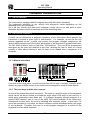
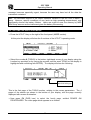
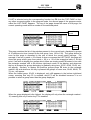
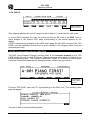
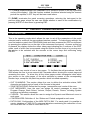
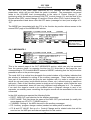
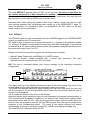
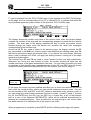
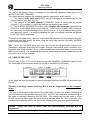
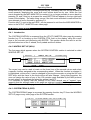
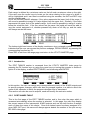
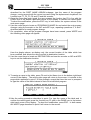
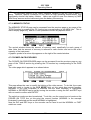
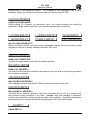
• OUTPUT PORT: Selects the MIDI OUT port on which the Program Change is to be
sent (from 01 to 08). The name attributed to selected port, which can be defined by the
user, also appears beside the number (see UTILITY - Tables section of this manual).
• CHANNEL NUMBER: Selects the MIDI channel on which the Program Change is to be
sent (from 01 to 16).
• BANK NUMBER: This field can be used to send a Bank Changee (Bank select LSB)
message together with the program change. Enter the appropriate value, bearing in
mind that if this field is OFF, the Bank Select message will NOT be sent.
• PROGRAM CHANGE: Number of the program change to be sent (0-127).
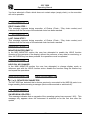
Use the CURSOR keys to select the field to be modified and enter the appropriate value
for it using the encoder, the INC and DEC keys or the numerical keypad.
Once the settings have been made, press ENTER to send the message without leaving
the current page, or F6 (OK icon) to send the message and return to the TOP PAGE.
Press ESC to leave the current page without sending a message.
3.7 SOLO function
Another exclusive function of the TOP PAGE is the SOLO function, accessed by pressing
function key F6 (SOLO icon).
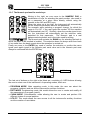
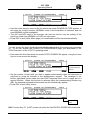
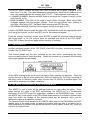
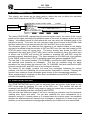
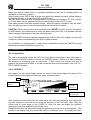
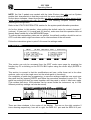
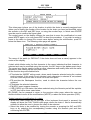
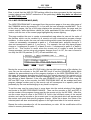
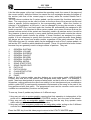
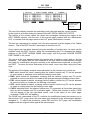
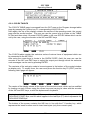
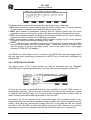
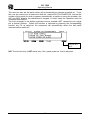
This function keeps only the zone selected by the user active, switching all the other
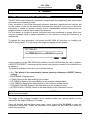
zones currently active to Stand-by status. When the function key is pressed, the following
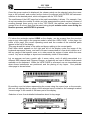
video page appears on the display:
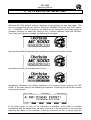
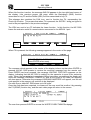
All the LEDs relating to the active zones will start to flash awaiting the selection. Press the
key for the zone to be left active and the MC-3000 will return to the Top Page, switching all
the other zones to Stand-by mode; when function key F6 (SOLO) is pressed again, the
patch will be restored to the basic conditions.
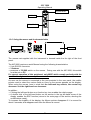
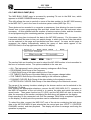
3.8 THE WRITE PROCEDURE IN THE PROGRAM MODE.
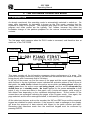
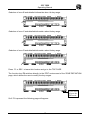
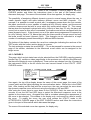
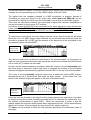
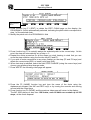
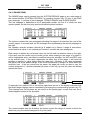
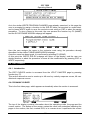
This WRITE is used to save all the settings made by the user inside the patch. Since
these settings are made in the EDIT environment, the WRITE key is of fundamental
importance in the EDIT mode but might seem useless in the PROGRAM mode. In fact,
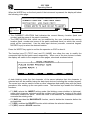
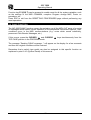
the WRITE key is also useful in the PROGRAM mode because it activates a special video
page from which the location of the selected patch can be changed, and it can be
assigned a name and a specific comment.
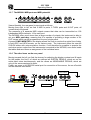
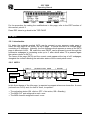
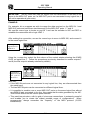
The comment field is only enabled in the WRITE video page of the PROGRAM and EDIT
modes, since in the other modes the saving procedure does not refer to the patch, but to
other parameters or entities such as the key velocity curves, tables, chains, etc., which do
not have a comment field.
91