1
CONTENTS
3-5
Chapter 1 • GETTING STARTED
Viewing the User Guide in the Internet
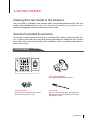
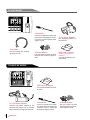
Terminal Included Accessories
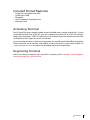
Included Printed Materials
Activating Terminal
Registering Terminal
6-10 Chapter 2 • BASICS
Introduction to Terminal
Terminal Overview
Main Menu
Power On/Off Button
Battery
Date/Time
Voice Control Security Features
Cleaning Terminal
Restarting and Resetting Terminal
Chapter 3 • USER
11-14
Enrolling User
Verifying User
Adding User Information
Deleting User
Access Level/Privilege
Defining Work Codes
RFID Card Function
Installations
Communications
Security
TCMS V2 Online Activation
Installation and Setup of TCMS V2
Connecting Terminal to TCMS V2
Using USB to Download/Upload Data
Communication Key
19-22 Chapter 5 • SYSTEM
System Settings
Data Management
Data Update Using USB Flash Disk
Keyboard
Display Settings
Reset
Misc Settings
CONTENTS
23
Daylight Saving Time
24 Chapter 7 • USB
Understanding the Need for USB
25
Chapter 8 • AUTO TEST Who should do the Auto Test?
26
27
Chapter 9 • RECORD
Checking Records of Users in the
Terminal
Chapter 10 • SYSTEM
INFORMATION
Records
Device
28-29
Chapter 6 • DATE/TIME
Setting Date/Time
Chapter 4 •
INSTALLATIONS & CONNECTION 15-18
TROUBLESHOOTING
“Unable to Connect” Appears
“Admin Affirm” Appears
Difficult to Read Finger
The LED is Blinking All The Time
“Duplicate Finger” Appears
RFID Card Doesn’t Respond
No Sound