1
2.6. The pcapdump Command
Chapter 2. Management and Maintenance
2.6. The pcapdump Command
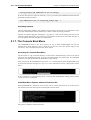
A valuable diagnostic tool is the ability to examine the packets that enter and leave the interfaces of
a NetDefend Firewall. For this purpose, NetDefendOS provides the CLI command pcapdump which
not only allows the examination of packet streams entering and leaving interfaces but also allows
the filtering of these streams according to specified criteria.
The packets that are filtered out by pcapdump can then be saved in a file of type .cap which is the
defacto libpcap library file format standard for packet capture.
The complete syntax of the pcapdump command is described in the CLI Reference Guide.
A Simple Example
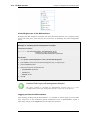
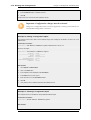
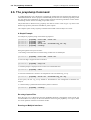
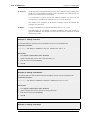
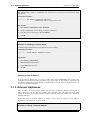
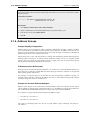
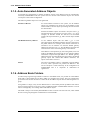
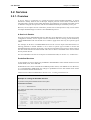
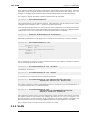
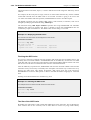
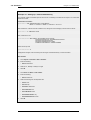
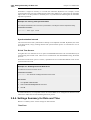
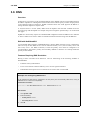
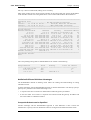
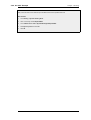
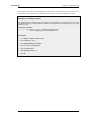
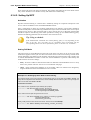
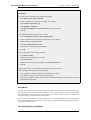
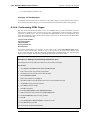
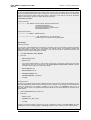
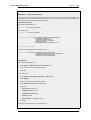
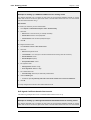
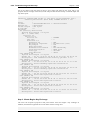
An example of pcapdump usage is the following sequence:
gw-world:/>
gw-world:/>
gw-world:/>
gw-world:/>
gw-world:/>
pcapdump
pcapdump
pcapdump
pcapdump
pcapdump
-size 1024 -start int
-stop int
-show
-write int -filename=cap_int.cap
-cleanup
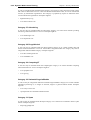
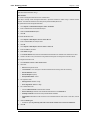
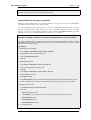
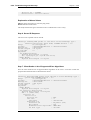
Going through this line by line we have:
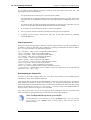
1. Recording is started for the int interface using a buffer size of 1024 Kbytes.
gw-world:/> pcapdump -size 1024 -start int
2. The recording is stopped for the int interface.
gw-world:/> pcapdump -stop int
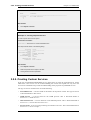
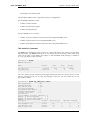
3. The dump output is displayed on the console in a summarized form.
gw-world:/> pcapdump -show
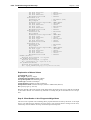
4. The same information is written in its complete form to a file called cap_int.cap.
gw-world:/> pcapdump -write int -filename=cap_int.cap
At this point, the file cap_int.cap should be downloaded to the management workstation for
analysis.
5. A final cleanup is performed and all memory taken is released.
gw-world:/> pcapdump -cleanup
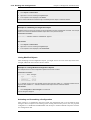
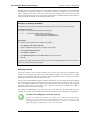
Re-using Capture Files
Since the only way to delete files from the NetDefend Firewall is through the serial console, the
recommendation is to always use the same filename when using the pcapdump -write option. Each
new write operation will then overwrite the old file.
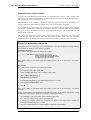
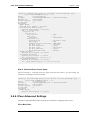
Running on Multiple Interfaces
72