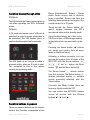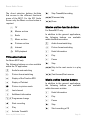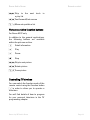
1
Contents
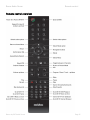
Contents .......................................... 1 Welcome ......................................... 3 Operating the menu ........................... 18 System ................................................. 18 Display settings .................................. 20 Audio settings ..................................... 21 Setup................................................ 3 Network settings ................................ 21 Scope of delivery ................................. 3 Music settings .................................... 22 Safety..................................................... 4 Managing media sources ................. 22 Installation ............................................ 4 Auto Start - Disc ................................. 23 Safety measures .................................. 4 Storage location for audio CDs ........ 24 First contact .......................................... 6 Recording audio CDs ......................... 24 Unit front panel............................... 8 Extended settings ............................... 24 Unit rear panel................................ 9 System information ....................... 25 Remote control ............................. 11 Basic operation .................................. 11 Changing the batteries ...................... 11 Function display through LEDs ......... 12 Function buttons in general .............. 12 Advice on settings.............................. 26 Music archive .............................. 27 Building up the media library ............ 27 Recording a CD ................................... 27 Automatic recording ..................... 27 TV function buttons............................ 13 Manual recording .......................... 27 Movies archive function buttons ..... 13 Record view ................................... 28 Music archive function buttons ....... 13 Cancel recording ........................... 29 Pictures archive function buttons.... 14 Importing files ..................................... 29 Controlling TV devices....................... 14 Browsing for music ............................ 31 Remote control overview .................. 15 Views ................................................... 31 Home menu ................................... 16 View - Artist with album ............... 31 Standby mode ..................................... 16 Changing the view......................... 32 Settings ........................................... 16 View - Artist .................................... 32 Help .................................................. 16 View - Albums ................................ 32 General settings ........................... 18 View - Genre .................................. 33 Revox Joy S37 Audio Server
View - Composers ......................... 33 Page 1