1
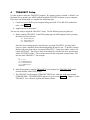
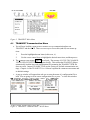
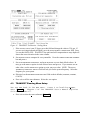
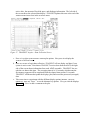
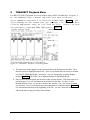
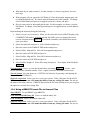
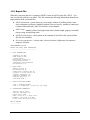
Figure 3. TRANSECT Main Menu
4.1
TRANSECT Communication Menu
a. You will now load the COMMUNICATION menu to set up communication between
TRANSECT and the ADCP. There are two ways to access this (and all) MAIN menu options.
1.
Press the highlighted menu letter (in this case, C).
2.
Use the cursor control keys to highlight the desired menu item, and then press e.
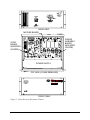
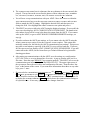
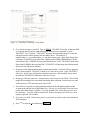
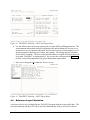
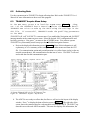
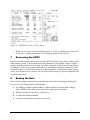
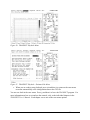
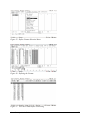
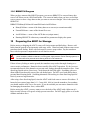
b. The COMMUNICATION menu (Figure 4) now loads. The message NO CFG FILE LOADED USING DEFAULT SETTINGS may appear briefly. This means that TRANSECT did not
automatically load the last-used configuration file (assuming the TRANSECT.PTR file
does not exist). Instead, TRANSECT will use the factory-set, default communication settings. Chapter 4 of the TRANSECT User’s Manual explains the COMMUNICATION menu and
its default settings.
c. A pop-up window will appear that asks you to enter the name of a configuration file to
load. You are going to create a new configuration file, so press ^ to close this window.
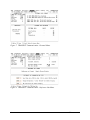
Figure 4. TRANSECT Communication - ADCP Menu
Ocean Surveyor User’s Guide
7