1
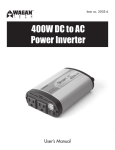
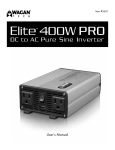
Elite™ 400W Pure Sine Inverter by Wagan Tech®
User’s Manual—Read before using this equipment
• AC Outlet — This outlet can supply up to 3.3 amps at 120V AC 60 Hz
Front Panel
• ON/OFF Switch — This switch controls AC output of the inverter.
• Operating LED (Green) — When this green LED is lit, the inverter is operating
normally.
• FAULT LED (Red) — This indicator turns RED as the inverter shuts down
because of: Excessive Temperature, Overload, Under Voltage or Over
voltage.
Immediately turn off all AC appliances if the FAULT LED is lit. Allow the
inverter to cool before continuing. Make sure that the ventilation vents are not
blocked.
If an inverter “shutdown” was preceded by a buzzing sound, there may
excessive load, in combination with a low voltage or cable problem.
AC Outlet
Operating Fault LED
LED
ON/OFF Switch
3
www.wagan.com
• USB Power Port — This power port can supply 5 volts at 500 mA for
charging or powering cell phones, PDA’s, GPS and other small electronic
devices.
• Audible Alarm (internal to the inverter) — When the Audible Alarm makes
a buzzing sound, the inverter senses a low battery condition. The user
should reduce the AC load, charge the battery, and check the DC cable for
excessive losses.
Rear Panel
• Positive Stud Terminal — Positive (+) DC Input (Red)
• Negative Stud Terminal — Negative (−) DC Input (Black)
• Cooling Fan — High-speed and load controlled
Cooling Fan
Cooling Vents
USB Power Port
Positive (+) Red Stud Terminal
Negative (−) Black Stud Terminal
©2012 Wagan Corporation
All Rights Reserved
Wagan and wagan.com are trademarks used by Wagan Corporation
4