1
Block adjustment
PHOTOMOD 6.0.2
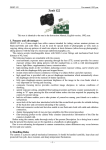
Fig. 24. Parameters of adjustment
The Images tab consists of the following sections:
• in the left part there is the Images table, which displays all project images and
method of their processing, sensor and off-nadir angle;
• left lower part of the window contains the section to setup images groups, acquired
from the same orbit;
If groups of images are available for block adjustment this allows to use less number of GCP
per block (see recommendations in Section 8.6).
• the right part of the window contains two following sections:
○ the Adjustment parameters section is used to setup parameters of scanner space
images adjustment method or to import exterior orientation parameters from
metadata of ADS 40/80/100 images;
○ the Adjustment steps section is used to perform step-by-step adjustment – successive adjustment of selected subblocks of scanner space images.
In order to setup adjustment parameters on the Images tab perform the following actions:
49