1
Chapter 3 Accessories
F
n
w.
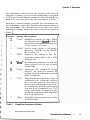
Baud Rate
0 1 1 0 0300
0 2400 0 4800
[
E
a
t
a
0 s 0 s
B
0 7
I
.
o m 0 @:em:
0 9600 0 19200
b
Y
@a
lmk=q
[r"t~-l
101.5 0 2
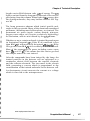
Figure 9 Communicationa Dialog Box
4.
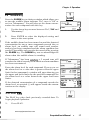
Open the Transfers Window and select the Receive
Text File option. A Receive Text File Dialog Box will
open. See Figure 10.
5.
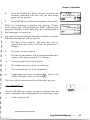
Type in the desired path and filename for the data
that are to be downloaded. Ensure the path is
correct.
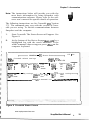
Figure 10
Receive Text File Dialog Box
www.equipcoservices.com
Snapshot User's Manual
37