1
NOT MOBILE DEVICES ARE INTERNET CAPABLE DUE TO THE AGE OR TECHNICAL LIMITATIONS OF SOME MODELS.
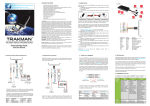
How “Track On Demand” Works
1. REMEMBER; the UBI must be turned on and connected to satellites and cell towers.
Device
Confirm connected to cell tower
UBI4000
Solid red light
UBI5000
Slow flashing green light
UBI5000E
Slow flashing blue light
2. Position the UBI in or on the vehicle, person or object that you wish to track.
3. From any computer go to www.globaltrackinggroup.com.
4. From the home page users can login by entering their login name and password.
Login: John
Password: Doe
5. Next click on LAUNCH UBI TRACK
6. You are now at the map**.
•If this is the first time that you have launched the UBI, the screen will show you one of two locations;
Rockford, Illinois or Baltimore, Maryland. (These locations are used to test the devices before shipping.)
•In order to change the screen AND locate the UBI click on TRACK NOW
•Approximately 60 seconds later the screen will refresh with the new map and the location of the UBI. It
can take longer if the cell towers are busy. After the map returns and a track did not occur, wait a few
more seconds and click the “Refresh Now” button.
7. With Track on Demand, each time you click on TRACK NOW you will get a new location if the device has moved.
If the device has not moved the screen will come back with the same information as before. If the device has not
moved since the last track, the track is on top of the other. You can see if a track was returned however by
checking the last report box.
8. The screen will only show you the last track. You must click TRACK NOW again for another track to show on the
map. You can track this way 300 times per month on the 1 hour plan, 25 minute plan, and 10 minute plan..
EXCEEDING YOUR ALLOTTED TRACK-ON-DEMANDS PER MONTH FOR THE FOUR TRACKING PLANS OFFERED WILL
RESULT IN YOUR UBI MAP BEING DEACTIVATED UNTIL THE START OF THE NEXT 30 DAY PERIOD.