1
This brochure will provide you with the information you need to benefit the most
from your tekmarNet ® thermostat. Please visit tekmarControls.com for more detailed
information on this or any other tekmar product.
The information contained herein is not intended to replace the full product installation
and safety information available or the experience of a trained product installer.
You are required to thoroughly read all installation instructions and product safety
information before beginning the installation of this product.
Touchscreen Adjustments
The touchscreen of this thermostat makes it easy to change commonly used settings.
Touch any item to adjust its setting. You will hear a “tick” sound each time you touch
the display. When you are finished making changes, touching the Home button will
return to the Home screen. If you do not touch the screen for 3 seconds, the Home
screen is automatically displayed.
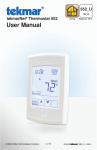
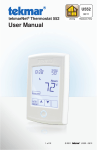
tekmarNet® Thermostat 554 Home Screen
Display Heat & Cool
settings, Floor or
Outdoor temperature
Adjust
the Time
Adjust the
Schedule
Room
Temperature
Away Key
Turn the Fan on
Switch between
Auto, Heat,
Cool & Off Mode
Adjust the
Temperature
Home
Button
Return to the
‘Home’ Screen
from any menu
Display of the time, schedule and the away key on the Home screen is optional and
can be turned on or off in the programming menus.
To enter the programming menus, press and hold the Home button for 3 seconds.
A Watts Water Technologies Company
2 of 12
© 2015
554_U - 02/15