1
MED ASSOCIATES INC.
S O F - 7 0 0 R A - 1 6 C O NT E X T U A L C O N D I T I O NI NG
CHAPTER 3 | UNDERSTANDING THE DA TA FILES
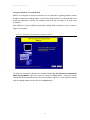
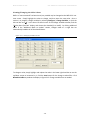
Unless otherwise specified, data will be saved to C:\MED-PC IV\DATA. Data can be saved
manually by selecting FILE | SAVE DATA MANUALLY or FILE | SAVE DATA (FLUSH). The file
name that is used to save the data in depends on the option that was chosen in the Hardware
Configuration Utility and may also be dependent on the Subject, Experiment, and Group name
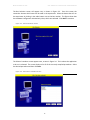
provided in the MED-PC IV load wizard. Within each data file, the headings are created for each
Subject, Experiment, Group, Box, etc., (see below). Data files may be opened with note pad,
word pad, or any word processor or spreadsheet; however, be sure they are always saved
“unformatted” in case a data extraction utility such as MED-PC to Excel might ever be used.
Data file formats are explained in detail in the MED-PC IV User’s Manual.
Appendix A | Contact Information
Please contact MED Associates, Inc. for information regarding any of our products.
Visit our website at www.med-associates.com for contact information.
For technical questions, email support@med-associates.com.
- 12 -