1
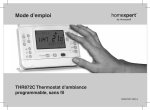
homexperttm by Honeywell THR870CUK Programmable Thermostat
Contents
WARNING: This product must be correctly installed and configured to work properly (see
pages 20-31). If you are not experienced in wiring electrical equipment, we recommend
professional installation to avoid possible personal injury or equipment damage.
About your new thermostat
Installation and setup
What is a programmable thermostat?.....4-5
Features.................................................... 6
QUICK START GUIDE.............................. 7
Quick reference to controls........................ 8
Date/time settings..................................... 9
System installation................................... 20
Wall bracket installation........................... 21
System wiring.....................................22-24
Batteries and cover................................. 25
System test............................................. 26
Installer setup.....................................27-31
Operation and programming
TIP: After installation, see the QUICK START GUIDE on page 7 to customise and begin using
your new thermostat right away.
®
Copyright © 2010 Honeywell International Inc.
homexperttm by Honeywell is a trademark of Honeywell International Inc. All rights reserved.
Appendix
Heating and cooling control..................... 10
Operating modes..................................... 11
Cost-saving program schedules.............. 12
To adjust program schedules................... 13
To add or remove program time periods..... 14
In case of difficulty................................... 32
Warranty information................................ 33
Disposal and recycling............................. 34
Special functions
Temporary schedule overrides................. 15
Day Off mode.......................................... 16
Party mode.............................................. 17
Holiday mode.......................................... 18
Advanced features................................... 19
NOTE: This symbol will flash on the screen
when battery power is low. Remove cover as
shown on page 24 and replace batteries with
two fresh AA alkaline batteries.
3