1
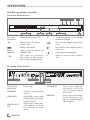
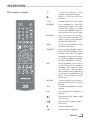
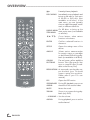
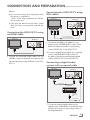
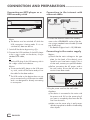
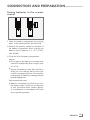
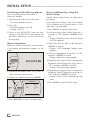
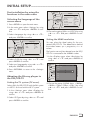
CONTENTS----------------------------------------------------------------------------------------------------------------------------------3 SET-UP AND SAFETY 4 4 4 GBP 6100 2D Packing contents Special features 6 6 7 OVERVIEW The Blu-ray player controls The remote control 9 9 CONNECTION AND PREPARATION Connecting the LED/LCD TV using an HDMI cable Connecting the LED/LCD TV using RCA cables Connecting a digital audio system with a coaxial cable Connecting an MP3 player or a USB memory stick Connecting to the internet with ethernet cable Connecting to the mains supply Putting batteries in the remote control 9 9 10 10 10 11 12 INITIAL SETUP 12 Switching on the Blu-ray player 12 Menu navigation 12 First installation by using the Quick Setup 13 First installation by using the functions in the main menu 13 Selecting the language of the screen menu 13 Adapting the Blu-ray player to the LED/ LCD-TV 15 Network settings 17 BD/DVD PLAYBACK 17 Special features of Blu-ray Discs 17 Special features of the DVD 17 Preparation 17 Inserting the disc 18 Playback 18 Removing the disc 18 Adjusting the volume 18 Muting 18 Additional playback functions 2 ENGLISH 21 BD LIVE 21 Adding BD-Live memory to the player 21 Setting up the player for BD-Live internet access 22 Using BD-Live 22 BD-Live notes 23 PLAYING AUDIO/VIDEO FILES 23 Playing the contents of a data device or a USB memory stick 24 Playing picture CDs 25 Playing audio CDs 26 26 26 27 27 NetFusion MODE About NetFusion Setting NetFusion function Preparation Using NetFusion function 28 28 28 29 29 30 30 31 31 SPECIAL SETTINGS Audio settings Existing settings in the Audio menu Language settings Existing settings in the Language menu Parental control Existing settings in the Parental menu System settings Existing settings in the System menu 32 32 32 33 33 33 33 34 INFORMATION Licence conditions Environmental note Cleaning the device Cleaning the disc Technical data System Troubleshooting