1
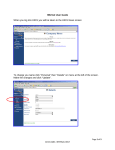
AMW Employee User Manual 1. Login 1.1 Login Screen Enter your Employee Code, password and click the Sign in button. Error Messages: 1. "Logon denied. Please contact HR”: If you are relieved. 2. "Employee details not available”: HR Application is not updated with your details yet. 3. "Invalid UserID / Password!”: Either your employee code or your password is wrong. Change Password: If you want to change your password, you can click on change password tab. Employee Self Service Page 2 of 17