1
TEMPERATURE SETTING: (No password set)
1. Increase temperature: By pressing “▲” key one time, the digital will be increase
“1” numeral. If pressing “▲” key over 2 seconds then the digital numerals will be
forwarded counting continuously till the temperature up to what you desire to set.
2. Decrease temperature: By pressing“▼” key, the same procedure as above.
PARAMETER SETTING:
1. Press “SET” key and hold for at least 4 seconds until display shown “— — —”
sign then release the “SET” key. The sign “— — —” starts to flash and reminding
the user to input the mode lock password “010” (fixed). If the user inputs the same
number as “010”, the unit will enter the modes selection procedure, otherwise,
the unit will be back from the current mode automatically.
2. After the unit enters the Modes selection, the LED will display “F-0”and flash.
Press “▲”or “▼” key to select modes. If the user doesn’t press “▲” or “▼” key
within 15 seconds or press “SET” key one time, then the unit will be mmediately
back from the Parameter Set status.
F-0 → F-1 → F-2 → F-3
↑
↓
←
←
←
←
3. Password Setting:
When the LED displays “F-1” and flashes, press “SET” key one time and the unit
enters the Password Set status. At this moment, the LED displays the pre-set value.
Press “▲” or “▼” key to change password set value. If the user sets “000” that
means the unit will be under the status of no password. If the user sets “100” then
means the unit will be under the password status. Press “SET” key once to finish
password setting and the unit will backup mode, the user can continue set other
modes or back from the setting mode.
For example:
4. Temperature Correction Setting
Press “SET” key once when the LED displays “F-2” and flashes that the unit
enters the Temperature Correction Mode. At this moment, the LED displays preset
correction value.
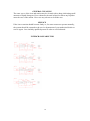
A: Operation of Centigrade temperature correction:
Press “▲” or “▼” key to change the temperature correction value. The first
digit “— ” means minus (actual temperature is down), “No display” means
plus (actual temperature is up).
B: Operation of Fahrenheit temperature correction value:
Press “▲” or “▼” key to change the temperature correction value. When
the numbers is sparkling on LED displays, it means minus value (actual
temperature falls), when the numbers stop sparkling, it means plus value (actual
6