1
L-880 & L-881 PAPI, Style A
Installation
96A0209 Rev. AA
Document Date (7/2014)
CAUTION
Installation
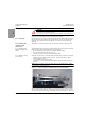
If any of the four measurements in steps 1 through 4 varies from any other by more
than 0.1 degrees, you must recalibrate the digital protractor. Refer below for
calibration procedure.
2.3.13.2 Performing Digital
Protractor Calibration
Procedure
The calibration procedure below calibrates the digital protractor through its entire 360 degree
range by electronically recording four horizontal and four vertical settings. It should be
performed whenever the accuracy test shows a discrepancy of 0.1 degrees or more.
NOTE: You may cancel the calibration procedure at any time by turning off the digital
protractor.
To calibrate the digital protractor, perform the following procedure:
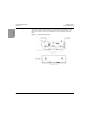
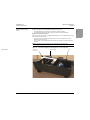
1. Turn on the digital protractor and place it on a flat surface. You can use any horizontal
surface within 10 degrees of level and any vertical surface within 10 degrees of plumb.
You must use the same surfaces throughout the entire process.
NOTE: Each time you reposition the digital protractor, wait a minimum of 10 seconds before
pressing the HOLD button to advance to the next step.
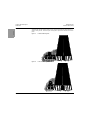
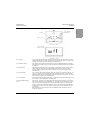
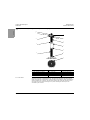
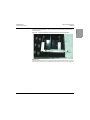
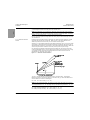
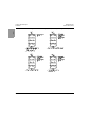
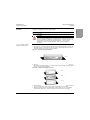
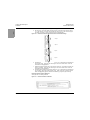
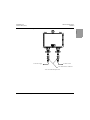
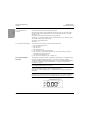
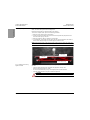
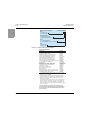
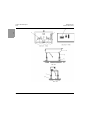
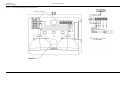
2. See Figure 33. Press and hold the HOLD and ALT ZERO buttons simultaneously. Keep
them depressed for approximately three seconds.
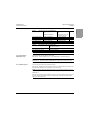
Figure 33:
Digital Protractor Displays and Buttons
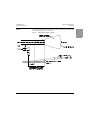
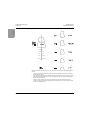
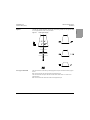
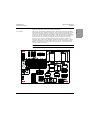
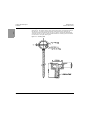
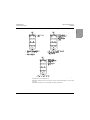
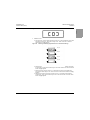
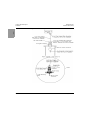
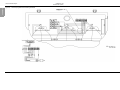
3. See Figure 34. Release the buttons when the symbol “SUP” appears. A 0 within flashing
brackets then appears. These brackets are composed of four horizontal and four vertical
segments.
NOTE: As you proceed through this procedure, a new segment will hold steady after you
complete each step.
44
© 2014 ADB Airfield Solutions All Rights Reserved