1
TABLE OF CONTENTS
Preface
i
CHAPTER 1
1
Introducing the Motherboard
1
Introduction ...................................................................................................1
Features........................................................................................................2
Choosing a Computer Case .........................................................................4
Motherboard Components............................................................................5
CHAPTER 2
7
Installing the Motherboard
7
Safety Precautions .......................................................................................7
Quick Guide ..................................................................................................7
Installing the Motherboard in a Case ...........................................................8
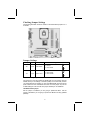
Checking Jumper Settings ...........................................................................8
Setting Jumpers...................................................................................................8
Checking Jumper Settings ..................................................................................9
Jumper Settings...................................................................................................9
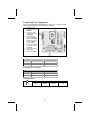
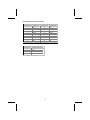
Connecting Case Components..........................................................................10
Front Panel Connector ......................................................................................12
Installing Hardware.....................................................................................13
Installing the Processor.....................................................................................13
Installing Memory Modules .............................................................................15
Installing a Hard Disk Drive/CD-ROM ...........................................................17
Installing a Floppy Diskette Drive ...................................................................20
Installing Add-on Cards....................................................................................21
Connecting Optional Devices...........................................................................22
Connecting I/O Devices..............................................................................26
CHAPTER 3
27
Using BIOS
27
About the Setup Utility................................................................................27
The Standard Configuration .............................................................................27
Entering the Setup Utility .................................................................................28
Updating the BIOS ...........................................................................................29
Using BIOS .................................................................................................29
Standard CMOS Features .................................................................................30
Advanced BIOS Features .................................................................................32
Advanced Chipset Features ..............................................................................35
Integrated Peripherals .......................................................................................39
Power Management Setup Option....................................................................44
PNP/PCI Configurations ..................................................................................48
PC Health Status ...............................................................................................49
iii