1
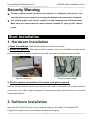
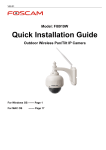
Foscam Digital Technologies LLC FI8905W Quick Installation Guide Security Warning Foscam cameras require good security practices to safeguard your privacy. You can help protect your camera by changing the default username and/or password. You should update your camera regularly at http://www.foscam.us/firmware.html. Make sure your camera has the latest firmware installed for your specific camera model. Start Installation 1. Hardware Installation 1) Open the package. Take out the camera out of the box carefully. 2) Mount the antenna. Then take the Wi-Fi antenna, mount it on the SMA connector on the back of the camera, screw the antenna to the back, and make the antenna stand vertically. Mount the antenna Plug the network cable 3) Get the camera connected to the router, and get it powered. Use the network cable to connect the camera to the router or the switch in the LAN network at your home or your office. Plug in the power. The small green light on RJ45 will turn on, the small orange light will blink. 2. Software Installation Insert the CD into the CD drive of your computer and go to the folder “For Windows OS”. Copy the IP camera tool to your computer and start the program. -2-