1
Introduction
Making Video Conference Calls via SIP Server
By using a SIP server, you can establish video conference calls not just by IP address, but also by specifying
a SIP URI (SIP user name@SIP domain name) instead. If the other party uses the same SIP domain name
as you, you can make a video conference call by specifying only the SIP user name (Page 93). For information
about supported SIP servers, contact your dealer.
Enhanced Features through the Use of Activation Keys
By using an activation key (sold separately), you can enable connection to MCUs (multipoint control units) and
non-Panasonic video conference systems (Page 72). Features enabled through activation keys are available
even after performing a system initialisation (Page 95). For details about the activation key, contact your
dealer.
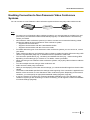
Connection to non-Panasonic Video Conference Systems
You can connect to a non-Panasonic video conference system and have a 2-party video conference call.*1 This
feature must be enabled with an activation key (Page 73, Page 95).
*1
For details about the types of non-Panasonic video conference systems you can connect to, contact your dealer.
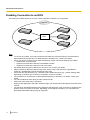
MCU Connection
By connecting to an MCU (multipoint control unit), you can make multiple-party video conference calls with 5
or more parties, rather than the normal maximum of 4 parties.*1 This feature must be enabled with an activation
key (Page 74, Page 95).
*1
For details about the types of MCUs you can connect to, contact your dealer.
User Manual
3