1
Grapholas 7.5
2 / 35
Table of Contents
1
INTRODUCTION .......................................................................................................................................... 4
2
FIRST START-UP OF THE SOFTWARE ........................................................................................................... 4
2.1
ENTERING THE LICENSE KEY................................................................................................................................. 4
2.2
SETTING THE LANGUAGE..................................................................................................................................... 4
2.3
NETWORK CONFIGURATION ................................................................................................................................ 5
3
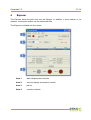
MERGER ..................................................................................................................................................... 6
3.1
QUICK START ................................................................................................................................................... 6
3.2
THE USER INTERFACE ......................................................................................................................................... 7
3.3
TOOLBAR ......................................................................................................................................................... 8
3.3.1
3.3.2
3.3.3
3.3.4
3.3.5
3.3.6
3.3.7
3.3.9
3.4
Loading Images ................................................................................................................................. 8
Manual Cropping .............................................................................................................................. 9
Automatic Cropping ........................................................................................................................ 10
Mirroring ......................................................................................................................................... 10
Inverting .......................................................................................................................................... 11
Rotating .......................................................................................................................................... 11
Viewing Images ............................................................................................................................... 12
Sending the Job to the CDI .............................................................................................................. 13
MERGER MENU BAR ....................................................................................................................................... 13
3.4.1
3.4.2
3.4.3
3.4.4
3.4.5
3.4.6
3.4.7
3.4.8
3.4.9
3.4.10
3.4.11
3.4.12
3.4.13
3.4.14
Unloading Images ........................................................................................................................... 13
Unloading Positioned Images ......................................................................................................... 13
Selecting the Working Directory ..................................................................................................... 14
Saving the Plate .............................................................................................................................. 14
Loading the Plate ............................................................................................................................ 14
Creating a New Plate ...................................................................................................................... 14
Automatic Positioning of the Images .............................................................................................. 14
Automatic Positioning of the Images .............................................................................................. 15
Removing Images from the Working Surface ................................................................................. 15
Displaying File Names ..................................................................................................................... 15
Displaying the Parameters Window................................................................................................ 15
Printing the Display ......................................................................................................................... 16
Checking Images ............................................................................................................................. 16
Copying Images ............................................................................................................................... 16
3.5
WORKING SURFACE AND STATUS BAR ................................................................................................................. 16
3.6
SETTING THE "DRUM WINDOW" ENGRAVING PARAMETERS .................................................................................... 17
3.6.1
3.6.2
3.6.3
3.6.4
Selecting the Drum .......................................................................................................................... 18
Setting the Drum Circumference ..................................................................................................... 18
Changing the Speed ........................................................................................................................ 18
Partial Plates ................................................................................................................................... 18