1
Contents
How to Use the Captured Images
2
Viewing Digital Camera Images on a Windows PC
4
System Requirements ............................................................... 4
Installing the Software............................................................... 6
Copying Images to your PC ...................................................... 9
Disconnecting the Camera from your PC .............................. 14
Viewing Digital Camera Images on a Macintosh
16
System Requirements ............................................................. 16
Installing the Software............................................................. 17
Installing ACD Photostitcher .................................................. 20
Copying Images to your Macintosh ....................................... 21
Disconnecting the Camera from your Macintosh ................. 22
About ACDSee for PENTAX
23
Launching ACDSee for PENTAX ............................................ 23
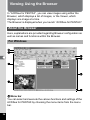
Viewing Using the Browser
24
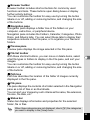
About the Browser ................................................................... 24
Viewing Images in Other Folders ........................................... 28
Sorting Image Files .................................................................. 29
Setting Detailed Display Categories....................................... 30
Viewing a Large Version of an Image (Viewer)
31
About the Viewer...................................................................... 31
Panorama Image Stitching with ACD Photostitcher
33
Panorama Image Stitching on a Windows PC....................... 33
Panorama Image Stitching on a Macintosh........................... 36
Printing an Image
39
Printing from the Browser....................................................... 39
Printing from the Viewer.......................................................... 39
Creating and Printing Contact Sheets ................................... 40
E-mailing your Images from ACDSee for PENTAX
41
About ACDInTouch
42
1