1
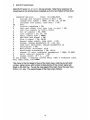
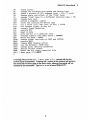
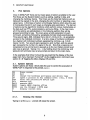
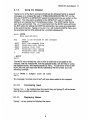
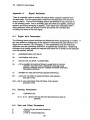
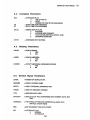
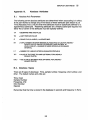
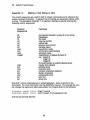
Table of Contents
1.
Introductio n ..............................................................................................................
1
2.
Getting Started ........................................................................................................
1
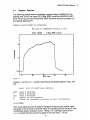
Sample Session...............................................................................
3
Plot Options.........................................................................................................
6
2.1.
3.
6
Options ...............................................................................
Erasing the Screen.......................................................... 6
7
Exiting GENLPLOT ..........................................................
Changing the Hardcopy Queue and the Device Type ...7
Spawning a Process at DCL Command Level.............7
Changing the Terminal Device Type.............................. 8
Executing PCL.................................................................. 8
Execute VMS Mail..............................................................8
Toggling the Main Menu Display Off and On............... 8
Using the Notepad............................................................. 9
3.1.
System
3.1.1.
3.1.2.
3.1.3.
3.1.4.
3.1.5.
3.1.6.
3.1.7.
3.1.8.
3.1.9.
3.2.
Data Set Options............................................................................... 10
Changing the Shot Number............................................ 10
3.2.1.
Asking for a New Signal from the Same Shot.............11
3.2.2.
13
Listing the Contents of the Kit ..........................................
3.2.3.
Listing the Signals in the Shot........................................ 14
3.2.4.
Getting a New Shot and Signal...................................... 15
3.2.5.
Rereading the Same Signal and Same Shot...............15
3.2.6.
Selecting a Signal to W ork W ith..................................... 15
3.2.7.
16
Changing the Data Base ..................................................
3.2.8.
16
Signal.............................................
Defining a Composit
3.2.9.
3.2.10. Fixing the Current Signal in the Kit................................ 17
Reading in Data................................................................. 18
3.2.11.
20
3.2.12. Saving the Kit in a Namelist File .....................................
20
3.2.13. W riting Out Data ...............................................................
3.2.14. Resetting the Kit from a Namelist File............................ 21
3.3.
Display
3.3.1.
3.3.2.
3.3.3.
3.3.4.
3.3.5.
3.3.6.
3.3.7.
3.3.8.
3.3.9.
3.3.10.
3.3.11.
3.3.12.
3.3.13.
22
Options ...............................................................................
23
Multi Signal Plot ...............................................................
24
Plot a Signal......................................................................
25
Signal Axis ..........................................................................
26
.......................................................
Axis
(Abscissa)
Time
27
Voice Print .........................................................................
29
W orld-view.........................................................................
Changing "Y" Axis Parameters....................................... 31
Changing Scale and Offset of the "Time" Base........... 32
Changing the "Time" Base to a Different Type............33
35
Overall Graph Reduction .................................................
Changing Global Settings................................................ 35
Changing the Point Omission Parameter..................... 36
Smoothing the Current Signal........................................ 36