1
Sending a multimedia message
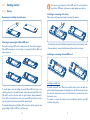
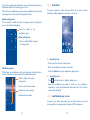
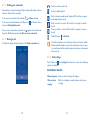
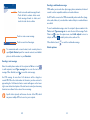
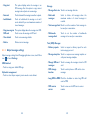
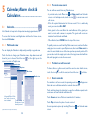
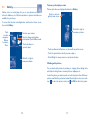
•Touch to view the whole message thread.
•Touch & hold to activate delete mode.
Touch message threads to delete, and
touch the trash bin to confirm.
MMS enables you to send video clips, images, photos, animations, slides and
sounds to other compatible mobiles and e-mail addresses.
An SMS will be converted to MMS automatically when media files (image,
video, audio, slides, etc.) are attached or when a Subject or email addresses
are added.
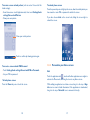
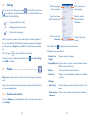
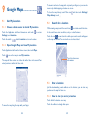
Touch to create a new message.
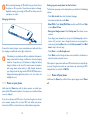
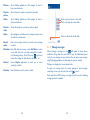
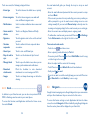
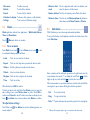
To send a multimedia message, enter the recipient's phone number in the
To bar, touch Type message bar to enter the text of the message. Touch
Menu icon to open the option menu, touch Add subject to insert a
to attach picture, video, audio or file.
subject, and touch
Touch to search in all messages.
When finished, touch
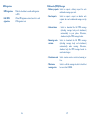
To communicate with a saved contact, touch contact photo to
open Quick Contact panel. For unsaved contacts, touch default
photo to add the number to your Contacts.
to send the multimedia message.
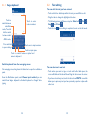
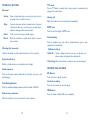
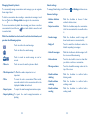
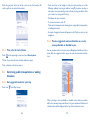
Attach options:
Sending a text message
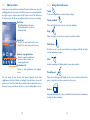
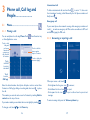
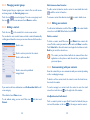
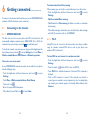
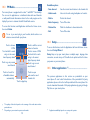
Enter the mobile phone number of the recipient on To bar or touch
to add recipients, touch Type message bar to enter the text of the
to send the text message.
message. When finished, touch
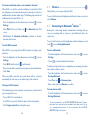
An SMS message of more than 160 characters will be charged as
several SMS. When the total number of characters you have entered is
approaching the 160-character limit, a counter will appear on the lower
right corner below Send option of the text box to remind you how many
characters are allowed to be entered in one message.
Specific letters (accent) will increase the size of the SMS, which
may cause multiple SMS to be sent to your recipient.
40
41