1
DANGER! Avoid Powerlines!
You Can Be Killed!
When following the instructions in this guide to install the antenna take
extreme care to avoid contact with overhead power lines, lights and
power circuits. Contact with power lines, lights or power circuits may be
fatal. We recommend to install antenna no closer than 20 feet to any
power lines.
Safety: For your own protection, follow these safety rules.
▫
▫
▫
▫
▫
Perform as many functions as possible on the ground
Do not attempt to install the antenna on a rainy, windy or
snowy day or if there is ice or snow accumulation at the install
site or if the site is wet.
Make sure there are no people, pets, etc. below when you are
working on a roof or ladder.
Watch out for any power lines which may be overhead, underground or behind walls., keeping safely clear of them with the
antenna, ladders or any tools.
See appendix for FCC RF exposure guidelines
Recommended Tools: Pliers, Screws and screwdriver if
mounting to a wall. NOTE: You should be familiar with using
tools such as these before attempting installation of the antenna.
You should be comfortable with working on a ladder.
Getting Started
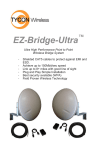
It is recommended that you setup the EZ-Bridge-LT™system in
a single room to get acquainted with the operation of the units before
installing outdoors. Connect 1 EZ-Bridge-LT™ to your router, switch or
computer and just power up the other EZ-Bridge-LT™. Make sure the
antennas are pointing away from each other for best results. After powering up each unit, you should be able to communicate with each unit
by typing it’s IP address into a standard browser.
Note: We highly recommend connecting the EZ-Bridge –LT™ power
supply to a surge protected outlet or an Uninterruptable Power Supply
system. We also recommend using shielded and grounded CAT5 cable
between the antenna and the POE Inserter. This will help prevent damage from lightning and electrical surges caused by lightning.
2
Limited Warranty
All e-zy.net products are supplied with a limited 12 month warranty
which covers material and workmanship defects. This warranty does
not cover the following:
▫ Parts requiring replacement due to improper installation,
misuse, poor site conditions, faulty power, etc.
▫ Lightning damage.
▫ Physical damage to the external & internal parts.
▫ Products that have been opened, altered, or defaced.
▫ Water damage for units that were not sealed or mounted
according to user manual.
▫ Units that were not properly grounded.
▫ Usage other than in accordance with instructions and the
normal intended use.
Do not return any products until you receive a Return Material Authorization (RMA) number. Products received without a valid RMA number
will be rejected and returned to sender.
Warranty Repairs
All returns must have a valid RMA number written clearly on the outside
of the box. Without an RMA number the shipment will be refused. For
customers located in United States and Canada, customer pays all
shipping charges incurred to ship the product to E-ZY.NET. EZY.NET pays shipping charges to return the product to the original purchaser. For all other countries, the original purchaser shall pay all shipping, broker fees, duties and taxes incurred in shipping products to and
from E-ZY.NET. Provided the goods have not been modified or repair
attempted by someone other than E-ZY.NET, at the option of EZY.NET, products may be returned either as repaired or replaced. If it is
determined that there is no fault found (NFF) on a unit within warranty,
the customer will be charged $75 USD for testing time. For products out
of warranty, the standard NFF charge is $200. This charge will be at the
discretion of E-ZY.NET. The RMA number is valid for 14 days from date
of issue. The product must be received by the repair depot within these
14-days or the shipment may be refused.
Shipping and Damage Claims
All shipping damage claims are the purchaser's responsibility. Inspect
each shipment upon delivery and IMMEDIATELY report all damage, to
the carrier. There may be time limits and inspections may be required.
11