1
5.
6.
7.
8.
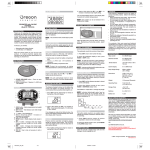
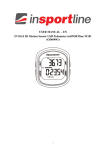
Steps, distance, calories, clock, alarm,
stopwatch and user profile units
Memory mode is displayed
Bar shows the weekday for which the data
relates to and target status
Dot matrix shows various icons to indicate
the mode / display you are in
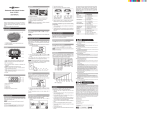
USER
PROFILE
TARGET
Weight unit + weight
Gender
Age
Stride unit + stride length
Step
Distance
Calories
Count-up
Countdown
GETTING STARTED
TIMER
Pull out the insulation tape away from battery
compartment to activate pedometer for the first
time. Pedometer will prompt you to set the clock
and user profile. (Go directly to “Setting the
device” section, step 3).
* To silence the alarm sound, press any button.
NOTE
•
To ensure accurate calculations with your
exercise, you are strongly recommended to
set the pedometer and user profiles.
•
Remember to set the profiles after every
battery replacement or reset.
CARRYING THE PEDOMETER
Attach the pedometer to your belt or training
attire at waist level. Secure it in a horizontal
position. Improper positioning may result in
incorrect data collection.
SETTING THE DEVICE
If the device is being activated for the first time or
after battery change, the unit will automatically
prompt you to do initial set up. (Go directly to
step 3).
For normal setting procedures:
1. Press MODE/SET to navigate to desired
settings.
• Extra step for entering alarm mode: once
inside clock setting mode, press + to
toggle to alarm mode.
2. Press and hold MODE/SET to enter desired
option.
3. Press +/- to change values and then
MODE/SET to confirm.
4. Repeat step 3 for all options within that
setting.
IMPORTANT FOR ACCURACY
The following conditions may cause incorrect
reading of steps taken:
1. Uneven walking pace, such as walking in
crowded areas or on uneven floor.
2. Frequent up and down movements, such as
standing up and/or sitting down; running,
jumping or ascending/descending stairs or
steep slopes.
CALCULATE STRIDE LENGTH
Individual stride length varies.
Input an
appropriate length for an average stride. To
determine the average stride length, walk 10
paces and divide the distance traveled by 10.
Continue setting the other settings by repeating
steps 1-3.
Settings
CLOCK
Options (Press + or - and
MODE/SET to confirm)
12/24 hour format
Hour
Minute
Day of the week
ALARM*
Hour
(press + to Minute
toggle)
On/Off
SWITCHING BETWEEN MODES
Press MODE/SET to switch between the 6
operation modes:
•
Daily
•
Target
•
Timer
•
Memory (7-day)