1
Compare Mode
Basic Function
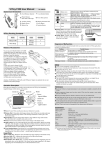
Button and 3-Way rotate button function
Under Photo-View Mode, you can press
up button (
) to view the front photo
and down button (
) to view next
photo. Press (C) to enter compare
mode When you want to compare the
Button Function
Image Effects : Under compare mode, press image effects
button (
) to choose image effects of gray, Inverse, or
Emboss for comparing with different image captured with
different image effects.
image which you are viewing, (refer left figure). Under Photos-View
Mode, press compare mode button, and display will show dual
Return : Press Return button (
screens. The left screen is showing your saved image as a
or leave setting menu. Press Return button (
standard image, and right screen will show your now observed
Photo-View Mode when Under Compare Mode.
) to back observation mode
) to back
image for comparing. Bellows are button functions.
Freeze : Press Freeze button to
Freeze
Zoon out
freeze the comparing image under
Zoon in
Image
Effects
Return
Freeze
Setting
LED
control
Compare Mode, and press again
to release the freeze image.
Operation Tips:
You cannot save image when you are in Compare Mode, and
please return to common observation mode to save your
image.
Compare Mode 21