1
INKJET411
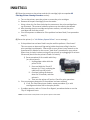
Under certain circumstances, a “Print Cartridge
Error” message can be ignored and printing may be
allowed until the printer prohibits such operations
from continuing – but normally this is not the case.
If printing is not permitted then refer to ‘Printer
Rejects Cartridge’ and ‘Tap Test’ diagnostic
procedures to troubleshoot further.
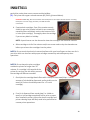
NOTE 1: After a cartridge is refilled, the printer cannot track the ink level, nor can it be reset. Where
applicable, ignore low/empty alert messages and any ink sensor warnings, by pressing ‘Ok’ or ‘Continue’. In
most cases, the only way to gauge current ink levels is by monitoring output print quality (watch for color loss
during printing).
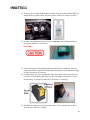
NOTE 2: If you are installing a black, photo, or gray photo print cartridge, slide it into the right slot.
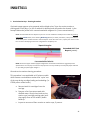
2. Common Error Messages/Display Conditions:
a. Steady lights (non-serious) or blinking lights (severe) on the printer
b. A message that says “Check black/color cartridge” on your monitor or on the printer
display
c. A similar message that says “Remove and check the black/color cartridge”
d. A printer window or toolbox appears that shows a message that a “Cartridge is not
seated properly”
e. “Replace your black/color cartridge” message
f. “The cartridge has failed” message
It is suggested to keep a set of replacement cartridges available at all
times to avoid possible printing delays.
Ink Level Monitoring Problems (with possible error messages)
Low Ink Warning & Other Messages – Youtube Video:
http://www.youtube.com/watch?v=KEkCP2jCUVc
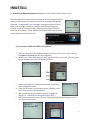
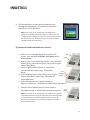
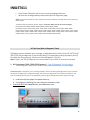
After a cartridge is refilled, the printer cannot track the ink level. Ignore any incorrect
low/empty alert messages and any ink sensor warnings, by pressing ‘Ok’ or ‘Continue’.
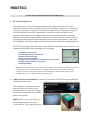
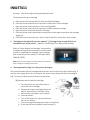
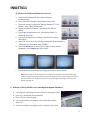
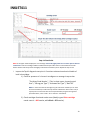
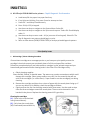
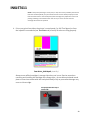
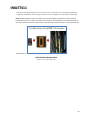
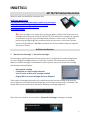
New HP 74/75 Cartridges
Refilled HP 74/75 Cartridges
2